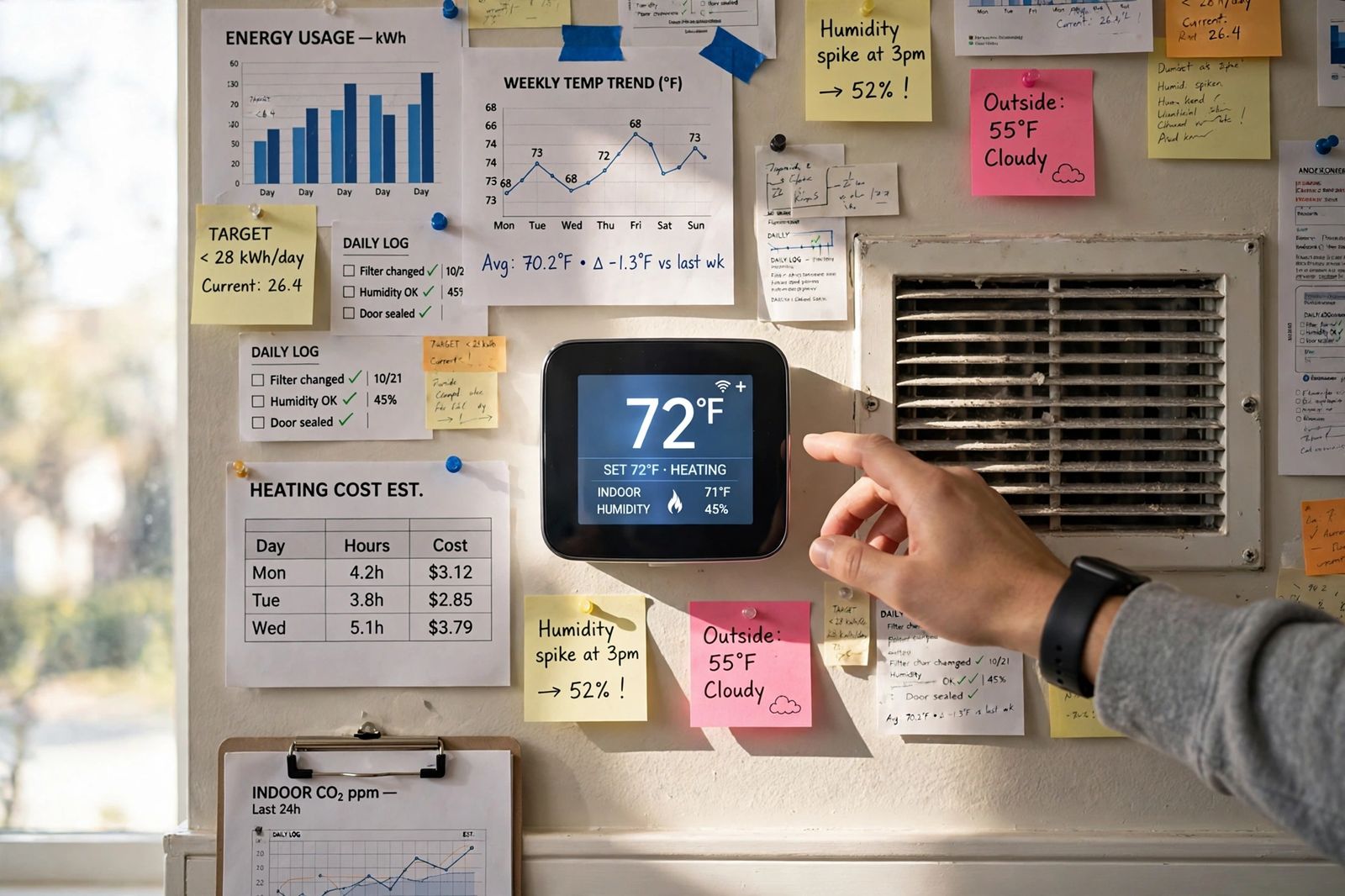
Most “dead thermostat” cases are a power problem, not a dead thermostat: dead batteries, a tripped breaker, the furnace power switch turned off, or a safety shutoff that has cut power to protect the house — work your exact symptom in the order below and you will usually find it. If the display is on and the system runs but will not heat or cool, the cause is usually a setting, a clogged filter, or the furnace or air conditioner itself, not the thermostat. Start with the symptom you actually have, do the checks in that order, and stop at the lines marked pro-only: refrigerant, gas and live wiring are not DIY jobs.
Safety first. Turn power off at the breaker and at the furnace switch before you remove a thermostat faceplate or open a furnace panel. If you smell gas, leave the house and call your gas utility or emergency services from outside — do not touch switches or the thermostat. A breaker that trips again straight away is reporting a fault: leave it off. If your circuit breaker keeps tripping, treat that as the problem, not as a reset routine.
Start with the symptom table
Find your row, work its checks from left to right in order, and use the result column to decide whether to keep going or stop.
| Symptom | Checks in the order to do them | What each result means | DIY or pro |
|---|---|---|---|
| Blank screen | 1. Tap a button (some screens sleep) 2. Replace the batteries 3. Check the HVAC breaker 4. Check the furnace switch 5. Check the furnace door is latched 6. Look for water in the drain pan (float switch) | Screen returns on batteries = thermostat is fine, system power is not reaching it. Breaker/switch/door fixes it = power was cut there. Water in pan = float switch shut it down to stop an overflow. Still blank after all six = low-voltage fuse, transformer or a failed thermostat | Steps 1–6 DIY. Blown control-board fuse, transformer and wiring faults = pro |
| Display on, but no heat | 1. Mode is HEAT, fan is AUTO 2. Set point a few degrees above room temperature 3. Wait 5 minutes for a protection delay 4. Check the filter 5. Check the furnace door is latched 6. Listen: does the furnace click or try to start? | Wrong mode/set point = setting, not a fault. Click or start-then-stop = thermostat is calling, furnace is failing to answer. Nothing at all after the wait = call is not reaching the furnace, or a safety switch is open | Settings, wait and filter DIY. Ignition, gas supply and limit/pressure switches = pro |
| Display on, but no cool | 1. Mode is COOL, fan is AUTO 2. Set point a few degrees below room temperature 3. Wait 5 minutes if “Cool On” is flashing 4. Check the filter 5. Check the outdoor unit’s breaker 6. Look for ice on the copper lines or coil | Flashing Cool On that starts within minutes = normal delay. Outdoor breaker tripped once = reset once; trips again = fault. Ice = airflow or refrigerant problem — switch cooling off and let it thaw fully | Settings, filter and one breaker reset DIY. Ice that returns, refrigerant and outdoor electrics = pro |
| Turns on and off too often (short cycling) | 1. Time one full cycle 2. Check the filter 3. Check thermostat placement — sun, lamp, draft, supply vent 4. Replace weak batteries 5. Check for ice or a full drain pan | New filter lengthens the runs = airflow was the cause. Sun/draft on the thermostat = it is reading its own patch of wall, not the house. Pattern unchanged after all five = sizing, refrigerant or control fault underneath | Filter, batteries and placement checks DIY. The rest = pro — see why your AC is short cycling for the full cycle-by-cycle work-through |
| Temperature reads wrong | 1. Put a simple thermometer next to the thermostat for 20 minutes 2. Check for sun, a lamp/TV, a draft or a vent blowing on it 3. Dust the sensor vents gently 4. Compare again after an hour | Room thermometer agrees with the house, not the thermostat = placement or a failing sensor. Both agree after moving a heat source = placement was the whole problem. A steady gap of several degrees that never closes = sensor failing | Checks DIY. Relocating a wired thermostat or replacing a failed sensor unit = pro, or a remote room sensor if your model supports one |
Blank screen: follow the power, in this order
A blank screen means no power is reaching the display, and the power path has only a few links. Honeywell Home’s own troubleshooting guide works the same order: batteries first, then HVAC power, then the furnace door.
- Wake it and change the batteries. Tap a button first — some smart displays sleep. Then replace the batteries even if you think they are fine. Many thermostats are battery-powered even when they are also wired: the batteries run the display and the controls, or back them up, so a wired thermostat can still go blank on dead batteries. Use fresh alkaline batteries of the size marked in the compartment, all from the same pack. If the screen returns, set the temperature and confirm the system actually starts — a screen that lights on batteries but never starts the system means system power is still missing below.
- Check the breaker. Find the breaker labelled Furnace, Air Handler or HVAC in your panel. A tripped breaker sits halfway: push it fully off, then back on, once. If it trips again immediately, stop — leave it off and call a technician or electrician.
- Check the furnace power switch. Most furnaces and air handlers have a switch that looks exactly like a light switch, on or near the unit, sometimes on a nearby wall or ceiling joist. It gets knocked off during storage, cleaning or other work and nobody notices until there is no heat. It should be on.
- Check the furnace door. The blower compartment panel has a safety switch behind it. A panel that was removed for a filter change and not latched fully cuts power to the control board — and with it, to the thermostat. Push the panel firmly home.
- Look for water at the indoor unit. Air conditioners and high-efficiency furnaces make condensate. If the drain blocks, the pan fills and a float switch — a small safety switch in or beside the pan — cuts power, often including the thermostat, before water overflows into a ceiling or floor. Water standing in the pan, or a float lifted in its cup, is the answer. Clearing an accessible drain clean-out is a homeowner job on many systems; never tape or bypass the float switch, because the water it holds back goes into the house instead.
- Stop here if it is still blank. What is left is inside the low-voltage circuit: a blown 3- to 5-amp fuse on the furnace control board, a failed transformer, a broken common (C) wire, or the thermostat itself. Replacing a board fuse with the exact same rating is described in many manuals, but a fuse that blew has a reason — usually a short in the thermostat wiring — and a new fuse often blows again until that short is found. That diagnosis, and any live-wiring test, is a technician’s job, not a step in this article.
Display on, but no heat
If the screen works, the thermostat has power. Now prove it is actually asking for heat, then listen to whether the furnace answers.
- Mode and set point. System set to HEAT, fan set to AUTO, and the set point a few degrees above the room temperature shown. A schedule or a hold can quietly override you — check for a temporary hold or a program that has just set the temperature back.
- Wait out the delay. Many systems enforce a short protection delay before firing. Give it five full minutes after changing the set point before concluding anything.
- Check the filter. A severely clogged filter can overheat a furnace until a safety limit switch shuts the burner down while the thermostat still calls. Turn the system off, slide the filter out and hold it to a light: if you cannot see light through it, replace it with the same size, arrow toward the furnace. The same airflow principle is why a clogged filter silently hurts a heat pump water heater — restricted air is restricted air, whatever the appliance.
- Check the door again. A door safety switch that is open can let the thermostat light up on batteries while the furnace itself stays dead.
- Listen. A click at the furnace, a brief start and then a stop, or repeated trying, all mean the thermostat’s call arrived and the furnace failed to answer. At that point the suspects are ignition, gas supply, flame sensing and safety switches — pro territory, full stop. This article does not walk you into gas valves, igniters or burner work. Note what you heard and when, and give that to the technician; it shortens the visit.
Display on, but no cool
Work the mirror image of the heat checks, with two cooling-only additions.
- Mode and set point. COOL, fan AUTO, set point a few degrees below room temperature. If “Cool On” (or an equivalent message) is flashing, that is the compressor protection delay, normally up to about five minutes — wait, do not keep pressing buttons, which can restart the wait.
- Check the outdoor unit’s breaker. The outdoor condenser often has its own breaker or disconnect. Reset a tripped one once only.
- Check the filter and the vents. Starved airflow is the most common route to the next item.
- Look for ice. Frost or ice on the insulated copper line, on the outdoor unit’s connections, or around the indoor coil, with vent air that is weak or barely cool, means the coil has frozen. Switch cooling OFF, leave the fan running to thaw it, and wait for a complete thaw — hours, not minutes. Do not chip ice off: a punctured coil turns an airflow problem into a sealed-system repair, the same rule that applies to a refrigerator that is not cooling. If cooling then works and stays working, airflow was the cause. If ice returns within a day or two, the cause is in the refrigerant circuit, and refrigerant work is licensed, certified work — there is no DIY version. If the thermostat is calling correctly and the system runs but the house still will not cool, work the full before-you-call order in AC not cooling — filter, vents, outdoor airflow and the drain switch — before booking a repair.
Short cycling and wrong temperatures: the thermostat is reading the wrong room
A thermostat does not measure your house. It measures the air touching its own sensor, and it obeys that reading faithfully. The U.S. Department of Energy’s thermostat guidance puts a thermostat on an interior wall, away from direct sunlight, drafts, doorways, skylights and windows — because every one of those lies to the sensor.
- Sun and heat sources. Afternoon sun on the unit, or a lamp, television or cooker nearby, warms the sensor faster than the house, so heating shuts off early and cooling runs long — or the reverse with a cold draft from a doorway or a supply vent blowing straight at it.
- Weak batteries and dust. A fading battery supply can make switching erratic, and dust packed into the sensor vents insulates the sensor from the room. Fresh batteries and a gentle dusting are two-minute tests.
- The thermometer test. Tape a simple room thermometer beside the thermostat for 20 minutes. If it matches how the house feels and the thermostat disagrees by several degrees consistently, the sensor is failing or the location is hopeless. Relocating a wired thermostat means new wiring — a technician’s job — but a remote room sensor, where your model supports one, fixes the reading without moving any wires.
For the full short-cycling diagnosis — timing cycles, frozen coils, condensate switches, oversizing — work through why your AC is short cycling after the checks above.
Smart thermostat extras: C-wire, Wi-Fi and the app
Smart thermostats add two failure modes that a basic thermostat does not have.
- No C-wire, no steady power. A smart display with Wi-Fi draws far more power than a simple thermostat. It gets that power from the common wire, the C-wire. Without one, some models steal small amounts of power through the heating and cooling wires — which works until it does not: the screen goes blank or reboots mid-cycle, Wi-Fi drops, or the system twitches on unexpectedly. If a smart thermostat was recently fitted to an older four-wire cable and now misbehaves, missing C-wire power is the first suspect. The fixes are a C-wire run or the manufacturer’s power adapter kit for your model — wiring work with the power off, and a pro job if you are not confident, because a mistake here is what blows the control-board fuse described above.
- Wi-Fi and app problems are not heating problems. If the house is heating and cooling correctly but the app shows the thermostat offline, the thermostat is working and its internet connection is not: check the home Wi-Fi, then the thermostat’s own Wi-Fi settings, then whether a schedule or a utility demand-response event is holding a setback you did not set. Do not re-diagnose the furnace for an app problem.
- Software holds. Eco modes, learning schedules and “away” routines can all change the temperature away from what you just set, which feels exactly like a fault. Check the schedule and any active hold before anything else on a smart model.
Thermostat fault or system fault? Three quick tells
- The fan test. Set the fan from AUTO to ON. If the blower runs, power is reaching the air handler and the thermostat can at least command the fan — the fault is more likely in the heating or cooling side than in the thermostat. If nothing runs at all, go back to the power path.
- The call test. Raise (for heat) or lower (for cool) the set point several degrees past room temperature and wait five minutes, listening at the furnace or outdoor unit. Clicks, starts or attempts mean the call arrived: system fault. Total silence after correct settings and a full wait means the call is not arriving: thermostat, wiring or a safety switch.
- The history test. A fault that began the day a new thermostat, filter or furnace panel was touched usually lives in that touch — a panel not latched, a wire loosened, a C-wire never connected. A fault that crept in over a season usually lives in the system: airflow, ice, or a wearing part.
When to call an HVAC technician
Book service — and stop checking — if any of these is true:
- The screen is still blank after batteries, breaker, furnace switch, door and drain pan have all been checked.
- A breaker trips a second time, or you find a blown control-board fuse.
- The furnace clicks, tries and fails, or does nothing at all on a clear call for heat — ignition and gas-side faults are not DIY.
- Ice returns within a day or two of a full thaw, or cooling is weak with no ice and a clean filter.
- There is a burning smell, scorch marks, buzzing from the outdoor unit, or water overflowing despite a clear drain.
- The thermostat reads several degrees wrong in a good location with fresh batteries — the sensor or the unit has failed, and at 10–15 years old, replacement is usually the sensible call.
- You have no heat in freezing weather or no cooling in dangerous heat, or anyone in the house is vulnerable to temperature: treat that as urgent and call straight away rather than working a checklist.
Tell the technician what your symptom was, which checks you did and what each one showed. “Blank screen, new batteries made no difference, breaker and furnace switch both on, pan dry” will save you paying for those checks twice.
Frequently asked questions
Can a thermostat go bad suddenly? Yes, but it is less common than a power interruption imitating it. Work the full power path first — batteries, breaker, switch, door, float switch — because a thermostat replaced for what was really a tripped safety switch will appear to fail in exactly the same way.
Why does my thermostat have batteries if it is wired? On many models the batteries run the display and controls, or back them up during a power cut so the clock and program survive. Either way, dead batteries can blank a wired thermostat or make its switching erratic, which is why battery replacement is step one and not a last resort.
My thermostat says the temperature, but the house never reaches it. Is that the thermostat? Usually not. If the system runs continuously and still falls short, the thermostat is calling correctly and the equipment cannot keep up — extreme weather, a clogged filter, ice, or a system fault. If the system stops early while the thermostat still shows a gap, suspect placement: the sensor is being satisfied by its own patch of wall.
What is a C-wire, in one sentence? It is the common wire that completes the 24-volt circuit from the furnace transformer, giving a thermostat — especially a smart one — continuous power instead of batteries or power-stealing.
How long do thermostats last? Roughly 10 to 15 years for most models. Past that, failed sensors, worn relays and dimming displays become common, and a like-for-like replacement is straightforward — with the power off, and photographed wiring before anything is disconnected.
This article is general information based on the manufacturer and government guidance linked above, checked in November 2026. Part locations, fuse ratings and menu names vary by model — follow your manual, and leave refrigerant, gas and live-wiring work to a qualified technician.