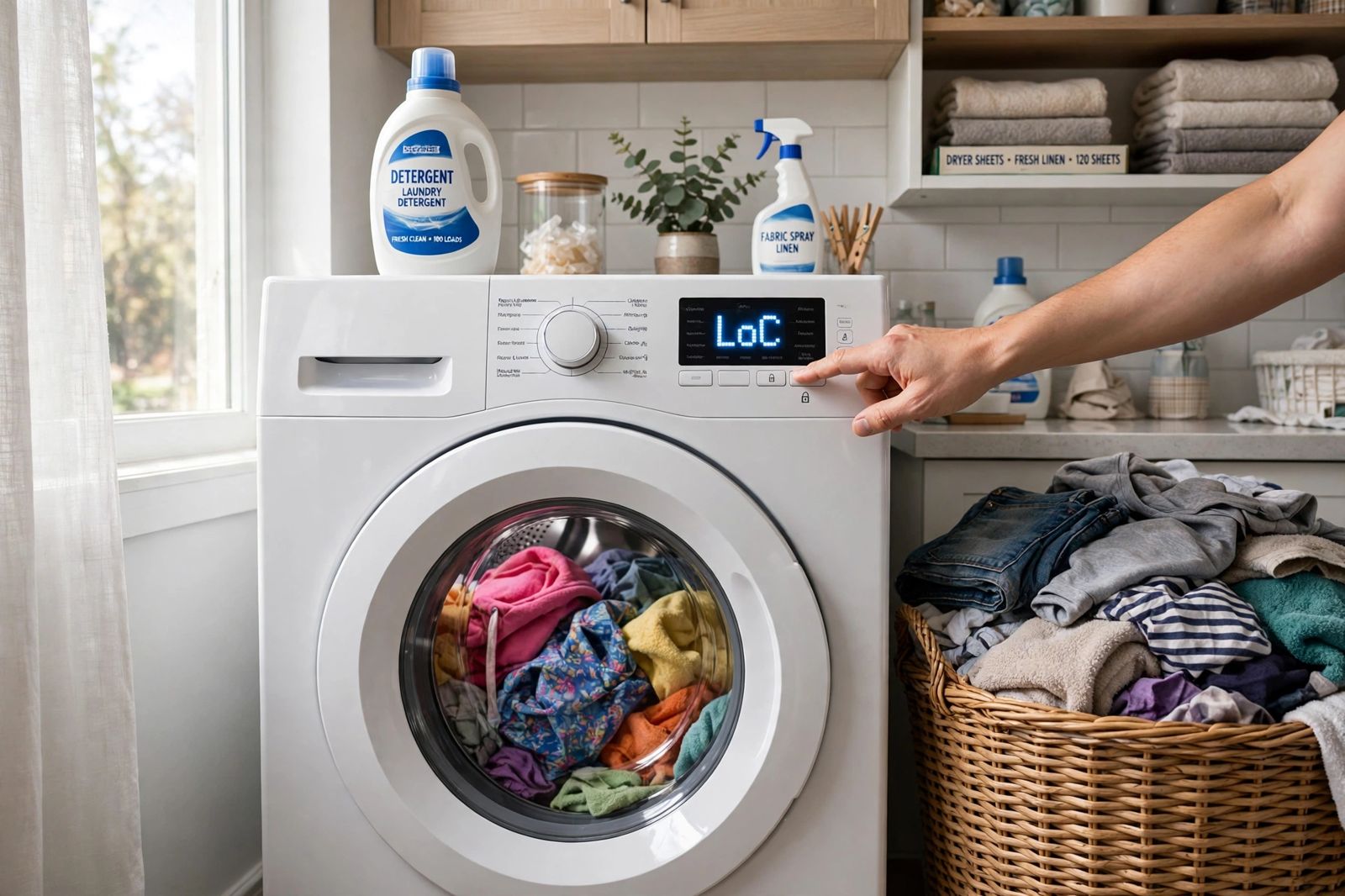
A washing machine that will not start is one of two different faults, and the first test is simply looking at it: if there are no lights and no sound at all, the machine is dead — the fault is in the power chain (outlet, breaker, cord, or the wrong Power button on a two-washer model). If the panel lights up but the cycle will not begin, the machine is alive and refusing — the fault is almost always a check the machine runs before it starts: Control Lock or Child Lock on, lid or door not locked, Start not held long enough, Delay Start set, or the water supply valves closed. Work the side you are actually on, in the order in the table below, and do not cross over: a dead machine cannot have a Child Lock problem, because a lock can only light its indicator on a machine that has power, and a machine with a lit panel does not need its outlet tested. Most no-start calls end at one of these free checks — the makers’ own pages put the lock, the Start hold and the valves ahead of any part — and the table is built so each test either starts the machine or names the next one.
First, the boundary. This article owns won’t start at all: the cycle never begins. A machine that starts, fills and washes but leaves standing water at the end has a drain fault, not a start fault — that chain is worked in washer not draining. A machine that starts and washes but will not spin is a third fault again, covered in washing machine not spinning. And note any error code on the display before you reset anything: Samsung’s guidance is to troubleshoot a displayed code first, because the code is the machine naming the failed check for you, and a reset erases it.
The dead-vs-alive split: the ordered test table
Find your side first — dead (no lights, no beeps, nothing) or alive (panel lit, cycle will not begin) — then work that side’s tests in order. At each test, the pass sign tells you to move on; the fail sign names your cause and you can stop.
| Order | Test | How to run it | Pass sign (move on) | Fail sign (this is your cause) |
|---|---|---|---|---|
| A1 — Dead side | Outlet test | Unplug the washer and plug a lamp or phone charger into the same outlet | Lamp lights: the outlet is live | Lamp dead: the outlet, not the washer — go to A2 |
| A2 — Dead side | Breaker and GFCI | Find the laundry breaker. A tripped breaker often looks on — Samsung warns of exactly this — so switch it fully off, then back on. Press Reset on any GFCI outlet in the room | Power returns and stays on when the washer starts | Breaker trips again as the washer tries to start: stop — that is an electrical fault, not a setting |
| A3 — Dead side | Cord and connection | Cord firmly seated, no scorch marks, cuts or crushed sections. The washer should be plugged directly into a grounded three-prong outlet — Samsung says not to use a surge protector, and Amana and Whirlpool both say no extension cord | Cord sound, direct connection, outlet proven live at A1 — and still no lights: the fault is inside the machine (see When to call) | Damaged cord: do not keep using it. Samsung’s instruction for a damaged cord is to request service, not to tape or splice it |
| A4 — Dead side | The right Power button, then a full power disconnect | On a Samsung FlexWash or 2-in-1 model there are two Power buttons, one per washer — press the one for the washer you loaded. Then the reset: disconnect the washer from power completely. Whirlpool’s figure is 5 minutes disconnected before reconnecting | Panel lights after the disconnect: it was a stuck control state | Still completely dead with a proven outlet: internal fuse, wiring or control — technician territory |
| B1 — Alive side | Control Lock / Child Lock | Look for a lit Control Lock light, a lock icon, or a code: Whirlpool shows LoC or LC, Samsung shows CL / dC with a blinking Child Lock indicator. Hold the Control Lock button for 3 seconds (Whirlpool; the display counts down 3, 2, 1). On a Samsung, hold the model’s two Child Lock buttons together for 3 seconds | Lock light or code clears and the buttons respond again | Lock will not clear with the correct 3-second hold: note the code and see the correction box below before you try a reset — on a Samsung, a reset cannot clear this lock |
| B2 — Alive side | Lid or door locked | Open the lid or door, clear any clothing caught in the seal or strike, and close it firmly — Whirlpool notes a front-load door can look closed without engaging the lock, and that the lock takes approximately 10 seconds to engage once a cycle starts. On a top-loader the lid must be completely closed and latched; Whirlpool adds that some models fill without the lid locking while others will not even start until it locks | A click, the lock light, and the cycle begins within about 10 seconds | Door closes but never locks, or locks and immediately unlocks repeatedly with a lock code (Whirlpool F5 E2 / LdL family): the lock, strike or lid switch has failed — a part, not a setting |
| B3 — Alive side | Press and hold Start | Do not tap Start. Whirlpool states it plainly for both its top-load and front-load pages: press and hold the Start button for up to 3 seconds to engage the cycle; on some models a 3, 2, 1 countdown shows while you hold. Use clean, dry hands on a touch panel — Whirlpool’s compact front-load page notes wet or dirty hands and gloves reduce touch sensitivity | The countdown runs or the lock engages: the machine was waiting for the hold, not broken | A full 3-second hold with the lock off and the door locked still does nothing, cycle after cycle: the Start switch or control is the suspect |
| B4 — Alive side | Delay Start | Check the display for a delayed-start countdown or a set delay hours figure. Cancel the cycle, reselect it, and press Start without the delay | Machine starts immediately once the delay is cancelled | — (a set delay is a complete explanation on its own: the machine was waiting, correctly) |
| B5 — Alive side | Both water valves open, both hoses connected | Go behind the machine: both the hot and the cold faucets fully on, both inlet hoses attached, no kinks. Whirlpool requires both valves fully open and both hoses connected for the washer to operate correctly, and warns that a washer started without water will stop. Amana’s manual says the same: both hoses attached with water flowing, both faucets turned on | Both valves open and both hoses connected, and the machine still will not begin: you have finished the free checks — see below | One valve closed or one hose not connected (the classic after a move, a repair, or a hose change): open/connect and start again |
No maker page and no top-ten guide puts both sides in one ordered table like this. The makers split the same checks across separate pages — Samsung’s power page sends the turns-on-but-won’t-start reader away to “our guide” elsewhere, and its Child Lock guidance lives on different regional pages again — while the general guides either cover only the alive side, only the dead side, or mix both into one list where a dead machine’s reader is told to check a lock that cannot light up. The split is the article; the sections below are each side explained.
The correction the reset advice gets wrong: unplugging the washer does not clear every lock. “Unplug it for a few minutes and try again” is the most repeated no-start advice on the web, and for one common cause it cannot work. Samsung states it directly: once Child Lock is activated it remains enabled after the power has been turned off and on again — when it is on, every button except Power is dead, and the only way out is the model’s two-button, 3-second hold (test B1), not a power cycle. So on a Samsung with a blinking Child Lock indicator, work B1 before any reset, and do not judge the lock test by whether unplugging helped. The same honesty applies to reset times, which guides give as one universal number: they are not universal. Whirlpool’s own reset for a stuck top-load control is 5 minutes disconnected; Samsung’s power-cycle figure on its buttons guidance is 60 seconds. Your maker’s figure governs your machine.
The dead side explained: no lights, no sound, nothing
A completely dead washer is a power-delivery problem until proven otherwise, and the proof is cheap: the lamp test at A1 separates the house from the machine in ten seconds. If the lamp lights, the house is delivering power to that outlet and the fault moves inward — cord, then the machine itself. If the lamp is dead, the washer has not failed at all; the fault is the outlet, its GFCI, or its breaker, and A2 is where it is fixed. Samsung’s breaker warning is worth repeating because it catches people: a tripped breaker frequently sits looking like it is on, so the only reliable reset is fully off, then on.
Two dead-side causes are easy to miss because they look like owner error — which is exactly what they are. The two-Power-button trap: Samsung’s FlexWash and 2-in-1 models carry a separate Power button for each washer, and pressing the upper washer’s button while the lower washer is loaded leaves the loaded machine apparently dead. And the surge protector / extension cord: a washer belongs on its own grounded outlet — Samsung requires a well-grounded 120V three-prong outlet protected by a 20-amp circuit on a dedicated circuit, does not recommend surge protectors with its washers, and Amana and Whirlpool both forbid extension cords in their no-power guidance. A washer that went dead on a power strip has often simply lost the strip.
If A1 to A4 all pass — outlet proven live, breaker holding, cord sound and direct, correct Power button, a full timed disconnect done — and there is still no light and no sound, the remaining causes are inside the cabinet: a blown internal fuse, loose or failed wiring, or a failed control. Those are testing-and-parts jobs, and a breaker that trips again the moment the washer tries to start is a stop sign, not a retry prompt.
The alive side explained: lights on, cycle will not begin
A lit panel proves power reaches the control. What it does not prove is that the machine’s pre-start checks have passed — and a modern washer runs several before it will lock the door and fill. That is why the alive side is a list of permissions, not parts:
- Control Lock / Child Lock (B1) is the single most common alive-side cause, and the makers put it first on their own not-starting pages. It is designed to make the panel ignore you: Whirlpool’s wording is that with Control Lock activated the controls will not respond to any touch commands, and Samsung’s is that all buttons except Power stop working. Its tells are the lit lock light or icon and the codes — LoC/LC on a Whirlpool, CL/dC on a Samsung. The fix is a hold, not a tap: 3 seconds on the labelled button (or button pair), watching for the countdown or the light going out.
- The lid or door (B2) is the check with a sound: a healthy lock clicks and stays locked. Clothing trapped in a front-load gasket, a bent strike, or a lid that is down but not latched all leave the machine waiting. Give the lock its time — about 10 seconds on a Whirlpool front-loader — before judging it, and judge a lock that clicks, unlocks, and clicks again on repeat attempts as failed, not slow.
- The Start hold (B3) is the cause nobody believes until it works: on Whirlpool machines a quick press of Start does nothing by design — the button must be held for up to 3 seconds. If you have been tapping Start on a machine with the lock off and the door shut, do the slow hold once before anything else on this side.
- Delay Start (B4) and the water valves (B5) complete the set. A set delay is the machine obeying an instruction, and it is usually set by leaning on the panel or by a previous user. The valves matter at start, not just at fill: Whirlpool requires both hot and cold connected and open for correct operation, and a washer started without water will stop — so a machine that begins, hesitates, and gives up within the first minute, especially straight after a move or a plumbing job, is a B5 machine until the valves have been seen open with your own eyes.
One more alive-side false alarm, from Amana’s own manual: a washer pauses during certain phases of a cycle as normal operation — do not interrupt it. A machine that started and is pausing between stages has not failed to start; give it its pause before restarting the diagnosis.
It starts, then stops almost immediately
Keep this short, because it is the edge of this article’s intent, not its centre. A machine that locks, begins, and then stops in the first minute or two is usually failing a check it runs after Start rather than before it: the door lock engaging and then reporting back unlocked (B2’s failed lock, now showing itself under way), a water supply that is connected but barely open (B5, partially passed), or an error code the machine displays as it stops — which is why the code is noted before any reset. Open and close the door firmly without slamming it, reselect the cycle and press Start/Pause once, as Samsung directs; if it stops the same way again with the same code, the code is the diagnosis and the lock or the supply it names is a service part. A machine that completes a wash but will not move water out at the end is not this fault at all — work washer not draining instead.
When to call a professional, and when to replace instead
Call a technician if the machine is still completely dead after A1 to A4 with a proven outlet; if the breaker trips when the washer tries to start; if the cord is damaged (service, per Samsung — not a DIY splice); if the door or lid lock repeatedly locks and unlocks or shows a lock code after the strike and seal have been checked clear; if there is a burning smell, scorching at the plug, or water on electrical parts; or if the same error code returns immediately after the maker-timed reset. Past that line the causes — internal fuse, wiring, lid switch or door lock assembly, control board — need testing with the cabinet open.
On repair or replace: everything in the table is free, and that is the point of working it first — a large share of no-start faults are a lock, a hold, a delay or a valve, and cost nothing. A lock or switch on an otherwise sound machine is normally worth fitting at almost any age. Replacement enters the discussion when the failed part is the main control on a machine well into its second decade, when a second major fault is queueing behind this one, or when the quote approaches about half the price of a comparable new washer on an already old machine. Judge it by the named fault the table ends at, not by the silent machine in front of you: a washer disabled by its own Child Lock and a washer with a dead board look identical from the front.
Frequently asked questions
Why is my washing machine completely dead — no lights at all? Because power is not reaching its control, or its control has failed. Work the dead side in order: lamp-test the outlet (A1), reset the breaker fully off-then-on and check the GFCI (A2 — a tripped breaker can look on), inspect the cord and remove any surge protector or extension cord (A3), and on a Samsung two-washer model make sure you pressed that washer’s own Power button (A4). Still dead on a proven outlet means an internal fuse, wiring or control fault.
My washer has power but won’t start. What is it? Almost always a pre-start check refusing permission, in this order: Control Lock or Child Lock on (B1 — look for LoC/LC on a Whirlpool, CL/dC on a Samsung), lid or door not locked (B2), Start tapped instead of held (B3 — Whirlpool requires a hold of up to 3 seconds), Delay Start set (B4), or one of the water valves closed (B5 — both hot and cold must be open and both hoses connected).
Will unplugging the washer reset everything? No — and this is the correction. A full disconnect clears a stuck control state, for the maker’s own time (Whirlpool: 5 minutes; Samsung’s buttons guidance: 60 seconds). But Samsung states its Child Lock remains enabled after the power is turned off and on again, so unplugging cannot clear it — only the two-button 3-second hold can. Unplugging also erases the error code you needed, which is why the code is noted first.
How long do I hold the Start button on a washing machine? On a Whirlpool, up to 3 seconds — its product help says so for both top-load and front-load models, and some models count down 3, 2, 1 while you hold. The Control Lock hold is also 3 seconds (Whirlpool’s button, or Samsung’s Child Lock button pair). A tap is the most common reason a healthy machine appears not to start.
Why won’t my washer start after it was moved or installed? Because the fault was usually installed with it. Check B5 first (a valve left closed or a hose never reconnected during the move), then A3 (cord trapped, half-seated, or left on an extension cord), then B2 (a door strike bent in transit). A machine that started fine before the move and has not started once since is an installation check, not a parts failure, until those three have been seen.
Can I bypass the lid switch or door lock to test it? No. The interlock exists because the drum it guards can spin with real force, and every source used here treats a failed switch or lock as a part to replace, never a circuit to defeat. If B2 names the lock, the test is finished — replacement is the fix.
This article is general information, based on the manufacturer support pages linked above (Whirlpool, Samsung and Amana). Lock buttons and codes, reset times, hold times and power requirements differ by model — in places the makers’ own published figures differ from each other, as the correction box shows — and your washer’s manual governs your machine. Anything that needs testing inside the cabinet, and any fault on a circuit that trips, belongs to a qualified technician.