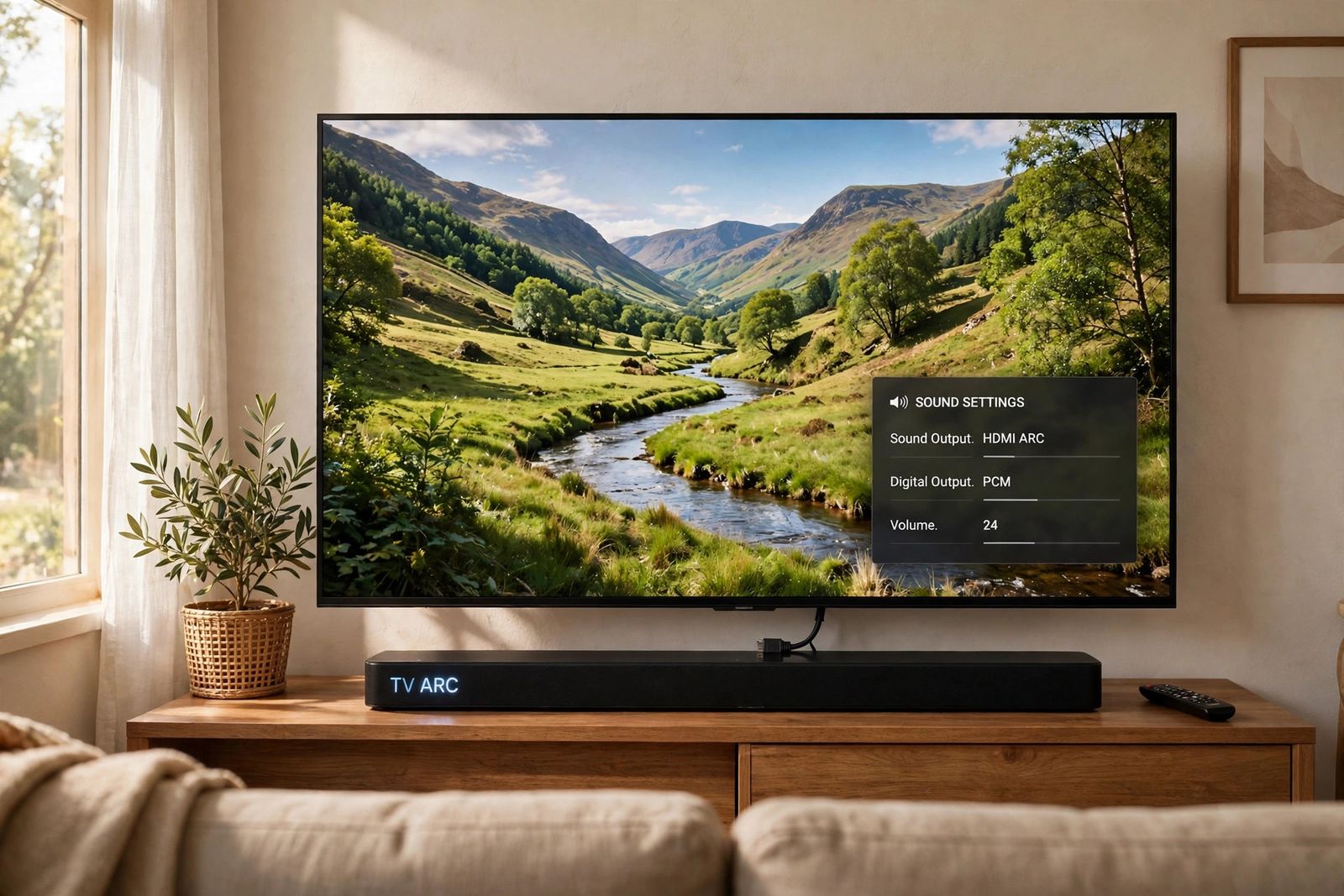
If HDMI ARC is not working — the picture plays, the soundbar sits lit but silent, and the TV’s sound never reaches it — the fault is in the return path that carries audio back from the TV to the bar, and that path has only a handful of links: the one HDMI port labelled ARC or eARC, the TV’s sound output selection, HDMI-CEC switched on at both ends under whatever name your TV’s maker gives it, the audio format the TV is sending, the handshake state between the two devices, and the cable. Run them in that order — correct ARC port at both ends, sound output pointed at the bar, CEC on under its brand name, a PCM format test, a clean handshake restart, then a cable swap — and finish with the isolation test at the end, which proves whether the TV, the soundbar or the cable is the part at fault instead of leaving you guessing. Do not start with a factory reset: it erases your settings and repairs none of those links.
What a silent soundbar actually proves — and what it does not
ARC stands for Audio Return Channel. A normal HDMI connection carries picture and sound one way, into the TV. ARC uses the same cable to send the TV’s own sound back out — the sound from the TV’s built-in apps, its tuner, and devices plugged into its other HDMI ports — to a soundbar or AV receiver. eARC is the newer, higher-capacity version of the same return path, adding lossless formats such as Dolby TrueHD and DTS-HD that plain ARC cannot carry; streaming Atmos, which arrives inside Dolby Digital Plus, can travel over ordinary ARC on compatible equipment, so a missing Atmos badge and total silence are two different faults.
That direction matters for diagnosis. A working picture from a console or box plugged into the soundbar or receiver proves the forward path works. It says nothing about the return path, which has its own port requirement, its own control protocol (CEC) and its own settings. Guides that open by saying a good picture “proves the cable, the port and the HDMI link are physically alive” overclaim: the return channel can be dead in a setup whose picture is perfect, which is most of the setups that reach this page.
One thing the silence does not tell you yet is which side failed. That is what the isolation test below is for — run it first, because its result decides which half of this article you actually need.
Step 0: The isolation test — TV speakers versus soundbar, before any settings
Two minutes here saves an hour of menu-diving in the wrong device. You are answering two plain questions: can the TV make sound at all, and can the soundbar make sound at all?
- The TV alone. Set the TV’s sound output back to its own TV speakers and play something. If the TV’s speakers produce sound, the TV’s audio side works, and the fault is in the return path or the bar. If the TV is silent even on its own speakers — check mute and volume first — the fault is inside the TV or the content, not in ARC, and the stop-testing section at the end applies.
- The soundbar alone. Play something into the bar that does not come from the TV: its Bluetooth input from a phone, or an optical connection if you have the cable. If the bar plays, its amplifier and speakers work, and the fault is in the ARC link specifically. If the bar is silent on every input, the bar itself is the suspect and no TV setting will fix it.
- One source comparison. Play a built-in TV app (the TV’s own Netflix or YouTube), then an external source (a console, stick or box). Sound from the app but not the source means the TV-to-bar link already works for one source, and the silent source’s own audio output setting is the problem — set that device to a widely supported format such as stereo PCM and test again. Silence from both puts the return path itself back on trial, and the chain below is the trial.
A related split to notice while you test: if you are running the source side of this through a Roku and its remote will not respond at all, fix that first — a Roku remote not working is diagnosed by remote type, infrared or voice, before the device can be woken, unmuted or tested here at all.
The ARC chain — the original asset of this article
This is the whole method, in the order the return audio itself depends on each link. Change one thing at a time, and play the same test scene after each step.
| Step | Link being tested | The test, in brief | If sound returns, the link at fault was |
|---|---|---|---|
| 1 | The ARC port, the bar’s port, and both output selections | Cable in the TV port labelled ARC/eARC and the bar’s HDMI OUT (ARC/eARC); TV sound output set to the bar; bar set to its TV/ARC input | The wrong port, or a TV still sending sound to its own speakers |
| 2 | CEC — the control link ARC depends on | CEC switched on at the TV (under its maker’s own name, table below) and on the bar/receiver | CEC off at either end, so the two devices never recognised each other |
| 3 | The audio format | Digital audio output temporarily set to PCM; if sound returns, step back up to Auto or Pass Through | A format the bar cannot decode, sent silently |
| 4 | The handshake state | Everything unplugged, other HDMI devices disconnected, clean restart with the TV powered first | A stuck CEC/ARC negotiation, cleared by starting it from nothing |
| 5 | The cable | Swap in one known-good cable, same ports, nothing else changed | The original cable, however healthy it looked |
| 6 | TV versus soundbar — the proof step | The bar on a second TV, and this TV feeding a second audio device (or optical); read the result table | Whichever side the fault follows — proven, not guessed |
Steps 1 to 3 change settings only. Step 4 is the restart, placed fourth on purpose: restarting before the port, output and CEC are verified is how a wrong setting survives three restarts in a row. Step 5 is the only honest cable test. Step 6 is the decider.
Step 1: The labelled ARC port — and two selections plugging in does not make
Only one HDMI port on the TV carries the return channel: the one physically labelled ARC or eARC beside the socket. Read the label, not a port-number table. Port numbers by brand, repeated confidently around the web, are wrong often enough to mislead: one widely ranked guide assigns Sony BRAVIA TVs “HDMI 1 (ARC/eARC)”, while Sony’s own model guidance puts the ARC port at HDMI IN 3 on the Bravia 9, 8, 7, 5 and 3 series; LG’s 2023 B3 carries eARC on HDMI 3 while the same year’s C3 uses HDMI 2; and Samsung’s current support wording hedges to “usually the third HDMI port.” The number is a model-level fact. The label printed beside your port is the authority, and if no port is labelled, your TV’s manual names the ARC port — check before assuming the TV has one at all.
At the other end, the cable belongs in the soundbar or receiver’s HDMI OUT port labelled ARC or eARC (Samsung bars print it as HDMI TO TV; Sony bars as HDMI OUT (TV eARC/ARC)). A bar’s ordinary HDMI IN socket is for a player or console feeding video through the bar; a TV cable plugged there returns nothing.
Then make the two selections that plugging in does not make for you:
- Point the TV’s sound output at the bar. Turning CEC on does not switch where the sound goes. On Samsung TVs choose the bar (shown as Receiver (HDMI) or the bar’s name) under Sound Output; on LG, HDMI(ARC) Device under Sound Out; on Sony, Speakers set to Audio system; on TCL, the HDMI ARC option under Audio Output. Samsung states the same requirement in its own ARC guide: the connection works only through the specific ARC port, with the output aimed at the external speakers: Samsung’s HDMI ARC guide.
- Put the bar on its TV input. Use its remote’s Input, Source or TV button until its display reads TV, ARC or TV ARC — a Samsung bar that sits on D.IN and never changes to TV ARC is telling you the ARC connection has not completed. Raise the volume with the bar’s own remote for the first test, and confirm the bar is not muted; a bar can sit on the right input, correctly connected, and simply be muted.
Step 2: CEC on — under the name your TV’s maker actually prints
ARC rides on HDMI-CEC, the control protocol that lets the TV and the bar discover each other, sync power and pass volume commands. Every maker renames it, which is why it is so easy to miss, and the name matters because you have to find it in your menu. These are the makers’ own names, as each maker prints them:
| TV maker | The maker’s own name for CEC | Where it lives (current models; years vary) | Also switch on |
|---|---|---|---|
| Samsung | Anynet+ (HDMI-CEC) | Settings > General or Connection > External Device Manager > Anynet+ (HDMI-CEC) | HDMI eARC Mode set to Auto (Sound > Expert Settings) for eARC |
| LG | SIMPLINK (HDMI-CEC) | All Settings > General > External Devices > HDMI Settings > SIMPLINK (HDMI-CEC) | eARC Support (Sound > Advanced Settings) for eARC |
| Sony | BRAVIA Sync — the setting is BRAVIA Sync control (some current entry models label the menu CEC settings / CEC control) | Settings > Channels & Inputs > External inputs > BRAVIA Sync settings | eARC mode / eARC setting (Audio output) for eARC; Control for HDMI on the bar |
| TCL | T-Link on older TCL Android TVs; current Google TVs label it External devices control (CEC) with HDMI control inside; TCL Roku TVs use Control other devices (CEC) | Google TV: Channels & Inputs > External Inputs > External devices control (CEC). Roku TV: Settings > System > Control other devices (CEC) | On TCL Roku TVs, ARC itself must be ticked in that same CEC menu — TCL says HDMI ARC is off by default there |
Three CEC facts that decide cases:
- Both ends. CEC must be on at the TV and at the soundbar or receiver — Sony’s name for the bar-side switch is Control for HDMI, and Sony’s own troubleshooting for a silent ARC bar starts with HDMI control enabled on both devices, BRAVIA Sync on the TV and the TV’s Speakers set to Audio system: Sony’s ARC/eARC support guidance. A TV with CEC on talking to a bar with it off is a one-sided conversation, and it fails silently.
- LG’s trap. On LG TVs, choosing HDMI(ARC) Device as the sound output switches SIMPLINK on by itself — and switching SIMPLINK off afterwards sends the sound output back to the TV speakers. A bar that worked yesterday can be silenced by that one stray change, with the cable untouched. LG’s own soundbar connection guide is built on the same three requirements — the HDMI IN (ARC) port, the bar on its ARC input, and SIMPLINK on: LG’s HDMI ARC soundbar guide.
- TCL’s two extra steps. TCL’s own soundbar troubleshooting repeats the same order — the labelled ARC port (the bar’s HDMI OUT (ARC), not its HDMI IN), the bar set to HDMI ARC, the TV’s Audio Output set to HDMI ARC, CEC on, and the digital format set to PCM for compatibility where a bar does not support Dolby Digital or DTS over ARC: TCL’s HDMI soundbar troubleshooting. On a TCL Roku TV, remember the default: ARC starts off, and enabling it in the CEC menu also turns on System audio control.
If the bar does not appear in the TV’s CEC device list at all (Samsung’s Anynet+ device list, Sony’s BRAVIA Sync device list, the Roku TV’s Search for CEC devices), the two devices are not seeing each other: hold that thought until steps 4 and 5, which are the steps that answer it.
Step 3: The PCM test — a format problem sounds exactly like a broken link
A format the bar cannot decode does not produce distorted sound or an error message. It produces silence, indistinguishable from a dead connection — a TV passing Dolby Digital Plus through to a bar that cannot decode it, or DTS sent to a bar with no DTS support. So test the format deliberately: set the TV’s digital audio output to PCM (Samsung: Digital Output Audio Format; LG: Digital Sound Output; Sony: Digital audio out) and replay the same scene.
Read the result properly. If sound returns on PCM, the ARC link was working all along and the fault was the format: step back up to Auto, then Pass Through, testing the same scene at each, and keep the highest setting that stays silent-free — PCM itself collapses multichannel sound to stereo, which is why guides that present “set PCM, not Bitstream” as the final fix are trading your surround sound for a diagnosis. If PCM changes nothing, the format was never the fault; move on with PCM left in place for the rest of the chain, since it removes one variable from every later step.
Two eARC switches belong to this step. If both the TV and the bar support eARC, the TV’s own eARC setting must be on or set to Auto (Samsung’s HDMI eARC Mode, LG’s eARC Support, Sony’s eARC mode/setting — names from the table in step 2). And the reverse is a real test: an eARC TV paired with an older ARC-only bar sometimes behaves better with the TV’s eARC switched off, forcing the plain ARC mode both devices fully share. Try it in that pairing before blaming hardware.
Step 4: The handshake restart — a clean start, other devices removed
CEC devices negotiate when they meet: the TV enumerates what is connected, the bar announces itself as the audio system, and the two agree on the return channel. That negotiation can stick — after a firmware update, a power cut, a device swapped while the TV slept — and no menu toggle retries it cleanly, because the stuck state is held by both devices. A full restart forces the negotiation to happen again from nothing. This is also the step aimed at the classic “it worked last night” case.
Do it in this order:
- Turn the TV and the bar off, and disconnect every other HDMI device from the TV — consoles, sticks, boxes. Sony’s own ARC troubleshooting includes this isolation for a reason: one misbehaving CEC device on the bus can break the negotiation for all of them. The bar stays; everything else comes out for this test.
- Unplug the TV and the bar from the wall, and disconnect the HDMI cable at both ends.
- Wait briefly. The makers do not agree on one magic number, and this article will not invent one: published maker guidance for this restart ranges from tens of seconds to about a minute (Roku’s fuller restart unplugs the TV and every HDMI device for about a minute). Waiting a full minute satisfies all of them. Waiting five or ten minutes, as some guides insist, adds nothing any maker asks for.
- Reconnect the HDMI cable, firmly, in the labelled ARC ports at both ends.
- Plug in and turn on the TV first, let it fully boot, then turn on the soundbar. Sony’s and Roku’s own restart sequences both run TV-first — the TV should be awake and enumerating CEC devices before the bar joins — and Sony notes a bar can even end up muted depending on which device powers up first. Some guides prescribe the opposite order; where a stubborn setup changes nothing TV-first, repeating the cycle bar-first costs nothing, but TV-first is the order the makers’ own sequences use, so it is the order to run first.
- Re-select the bar as the TV’s sound output and the TV/ARC input on the bar — a restart can revert both — then play the test scene and give the handshake a few seconds; sound can take several seconds to begin after a source change.
If ARC now works with only the bar connected, reconnect the other HDMI devices one at a time, testing after each. The device whose return kills the sound is the CEC troublemaker: leave its CEC off (most consoles and boxes have their own CEC toggle) while keeping CEC on at the TV and the bar.
Step 5: The cable swap — the only honest cable test, and two cable myths
Look at the cable briefly — both ends pushed fully home, no crushed section or bent housing — then swap it, because looking is not testing. Replace it with one known-good cable, the same ARC ports, nothing else changed, and replay the test scene. If the sound returns, the original cable was the dead link. Sony’s guidance goes the same way: if the TV’s BRAVIA Sync device list never shows the soundbar, replace the HDMI cable.
Cable claims on this topic are where guides mislead most, so two corrections, both from HDMI Licensing’s own published guidance:
- “Not every HDMI cable supports ARC — you need at least a High Speed cable, and an Ultra High Speed cable for eARC.” Wrong as stated. HDMI Licensing’s ARC feature guide says all HDMI cables support ARC between ARC-enabled devices: there is no separate “ARC-rated” cable a plain ARC link is waiting for, and an old cable that passes video does not fail ARC for lacking a rating. For eARC the real requirement is narrower and different: eARC travels on the cable’s HDMI Ethernet Channel conductors, and HDMI Licensing’s FAQ confirms Standard and High Speed cables with Ethernet also support eARC, while certifying Ultra High Speed cables for it. What actually fails is a damaged, badly terminated or Ethernet-less cable whose conductors do not carry the channel — which is exactly what a swap test detects and a shopping list cannot. A certified Ultra High Speed cable is a sensible replacement because certification guarantees those conductors; its 48 Gbps video bandwidth is not what eARC uses — eARC’s ceiling is 37 Mbps.
- “A video cable can pass picture perfectly and still not carry ARC, because ARC runs on its own pin cheap cables omit.” The picture half is true — a bar-fed picture proves only the forward path, as step 0 explains — but the pin story muddles two separate things: CEC is its own control line in the cable, and ARC’s return audio does not depend on a cable being sold as “ARC compatible.” A cable is guilty when the fault follows it in a swap, not when its packaging lacks a word.
Length is the one honest cable variable: keep the test cable short and direct, with no wall plates, couplers, switches or adapters in the run — each is another link, and the chain is being run with one link at a time on purpose.
Step 6: The proof step — prove whether it is the TV, the soundbar or the pairing
If the chain has not brought the sound back, stop adjusting and start proving. You need one witness on each side: a second TV (any TV with an ARC port) for the bar, and a second way of hearing this TV (a different soundbar or receiver, or an optical cable into the same bar). Run two crosses, one change at a time:
- Your soundbar → a second TV, its labelled ARC port, CEC on there, that TV’s output set to the bar.
- This TV → a second audio path, a different bar or receiver on the same ARC port and cable, or the same bar fed by optical from this TV (unplug the HDMI cable for the optical test — some TVs keep preferring HDMI when both are connected).
Read the two results together:
| Result | What it proves | The part at fault |
|---|---|---|
| Bar works on the second TV; nothing gets sound out of this TV | The bar and the cable are cleared by a working setup | This TV’s return path — its ARC port or its audio side |
| This TV plays through the second bar / optical; your bar is silent everywhere | The TV is cleared; the fault followed the bar | Your soundbar — its ARC input or its HDMI side |
| Both crosses work — each half works with a different partner | No single part is dead; the two original devices fail only with each other | The pairing: repeat step 4 with only these two connected, then check both devices for firmware updates |
| Both crosses fail — the bar fails on the second TV and this TV fails with the second bar | Two separate faults, or one fault in the shared item | Re-check the shared item first: the cable. Swap it again. If a second known-good cable changes nothing, a TV fault and a bar fault are both on the table — hand over (below) |
The logic is the same one that governs any signal chain: a part is guilty when the fault follows it into a new setup, or when every known-good replacement for the other parts still fails with it in place. Picture problems on the same TV are a different chain — if the TV also shows a blank or “No Signal” picture from a source, TV no signal on HDMI runs that isolation chain in order, input, cable swap, port swap and handshake reset, to prove whether the TV, the cable or the source device failed.
Four claims to be careful with
- “On a Samsung the ARC port is HDMI 2; on a Sony, HDMI 1; on an LG, HDMI 2.” Fixed port numbers by brand are not a fact — they are a guess printed as one. Sony’s ARC port is HDMI 3 on its current Bravia lines, LG moved it between HDMI 2 and HDMI 3 across models in the same year, and Samsung’s own wording is “usually the third port.” The label beside the socket, or the manual, is the only authority. Following a number table into the wrong port is step 1 failed while believing it passed.
- “This restart fixes the problem in 30–40% of cases” (and its cousins, the exact five-minute wait and the early factory reset). The percentage appears in ranked guides with no test and no source behind it; this article makes no such claim for any step, including its own. The makers’ waits for a power restart are tens of seconds to about a minute, not five or ten. And a factory reset — of the TV or the bar — erases accounts, network settings and sound settings while repairing no port, cable or negotiation; makers place it last, after the chain, and so does this article.
- “Set the TV to PCM, not Bitstream — that is the fix.” Half a fix. PCM is the diagnostic that separates a format fault from a link fault (step 3); left as the permanent setting it quietly demotes everything the bar plays to stereo. The working end-state for a capable bar is Auto or Pass Through, reached by stepping back up once sound is proven.
- “CEC is on, so ARC should work.” CEC on is one link of six. The TV’s sound output still has to be pointed at the bar (step 1), the bar has to be on its TV input, and on TCL Roku TVs the ARC option itself starts switched off. Most “CEC is on and still silent” cases are the output selection, not the protocol.
When to stop testing
Stop and hand it over — to the maker’s warranty service if the device is covered, or a repair shop if it is not — when any of these is true: the TV makes no sound even on its own speakers with mute and volume checked (the fault is inside the TV, not in any chain); at step 6, the bar is silent on a second TV while that TV plays through another bar, or this TV stays silent through every audio path including optical; the bar is silent on every input, including Bluetooth; or you find physical damage — an ARC socket that is bent, loose or recessed, a plug that will not seat, or any sign of heat or burning at a port. Do not open the TV or the bar. Bring the results of the chain with you — which step each device passed — because a fault already proven to one side is a shorter, cheaper repair conversation than “the sound stopped.”
Frequently asked questions
Why does my soundbar have no sound over HDMI ARC when the picture is fine? Because picture and return audio are different paths. The picture proves the forward direction; ARC sound travels back, and it needs the labelled ARC port, the TV’s output pointed at the bar, CEC on at both ends and a format the bar can decode. Run the chain in order — port, CEC, PCM test, restart, cable swap — and use step 0 first to confirm the TV and the bar can each make sound at all.
Does HDMI ARC need a special cable? No. HDMI Licensing states that all HDMI cables support ARC between ARC-enabled devices. eARC additionally needs the cable’s Ethernet conductors — High Speed cables with Ethernet support it, and a certified Ultra High Speed cable guarantees them, which is why it is the safe replacement buy. What decides a real case is the swap test in step 5, not the label on the box.
Why did ARC work yesterday and stop today, when nothing changed? Something did change, just not at your hands: a firmware update that reset CEC or the sound output, an LG SIMPLINK toggle that reverted the output to TV speakers, a power flicker that stuck the CEC negotiation, or a newly connected device interfering on the CEC bus. Those all fail at the settings or the handshake, which is why steps 2 and 4 — CEC verified under its brand name, then a clean restart with other devices removed — are aimed at exactly this case.
My TV remote no longer controls the soundbar volume, but the sound works. Is that the same fault? It is the other half of CEC. Audio return and remote volume control travel together but fail separately: sound playing with no volume control means the return channel works and the control link is the broken half — re-check CEC on both devices (step 2). The reverse split, volume working but no sound, means control is alive and the return path is not — go back to steps 1 and 3.
Can I just use optical instead? As a test, yes — it is half of the step 6 proof, and a bar that plays over optical while ARC stays silent has told you the fault is in the HDMI/CEC side. As a permanent substitute it works for stereo and compressed 5.1, with two honest costs: no CEC, so the bar needs its own remote for volume and power, and no Atmos, which optical cannot carry at all.
Should I turn eARC off if my soundbar only supports ARC? Try it as a test, yes. An eARC TV should fall back to ARC on its own, but some pairings negotiate more reliably with the TV’s eARC setting switched off, forcing the plain ARC mode both devices share. If sound is stable that way, the pairing — not a part — was the fault.
This article is general information, based on the Samsung, LG, Sony and TCL support pages linked above, Roku’s HDMI-CEC and ARC guidance for TCL Roku TVs, and HDMI Licensing’s published ARC and eARC cable guidance, checked in November 2026. Menu names, CEC labels and port positions vary by maker and model — your TV’s and soundbar’s manuals and support pages are the authority for your exact hardware.