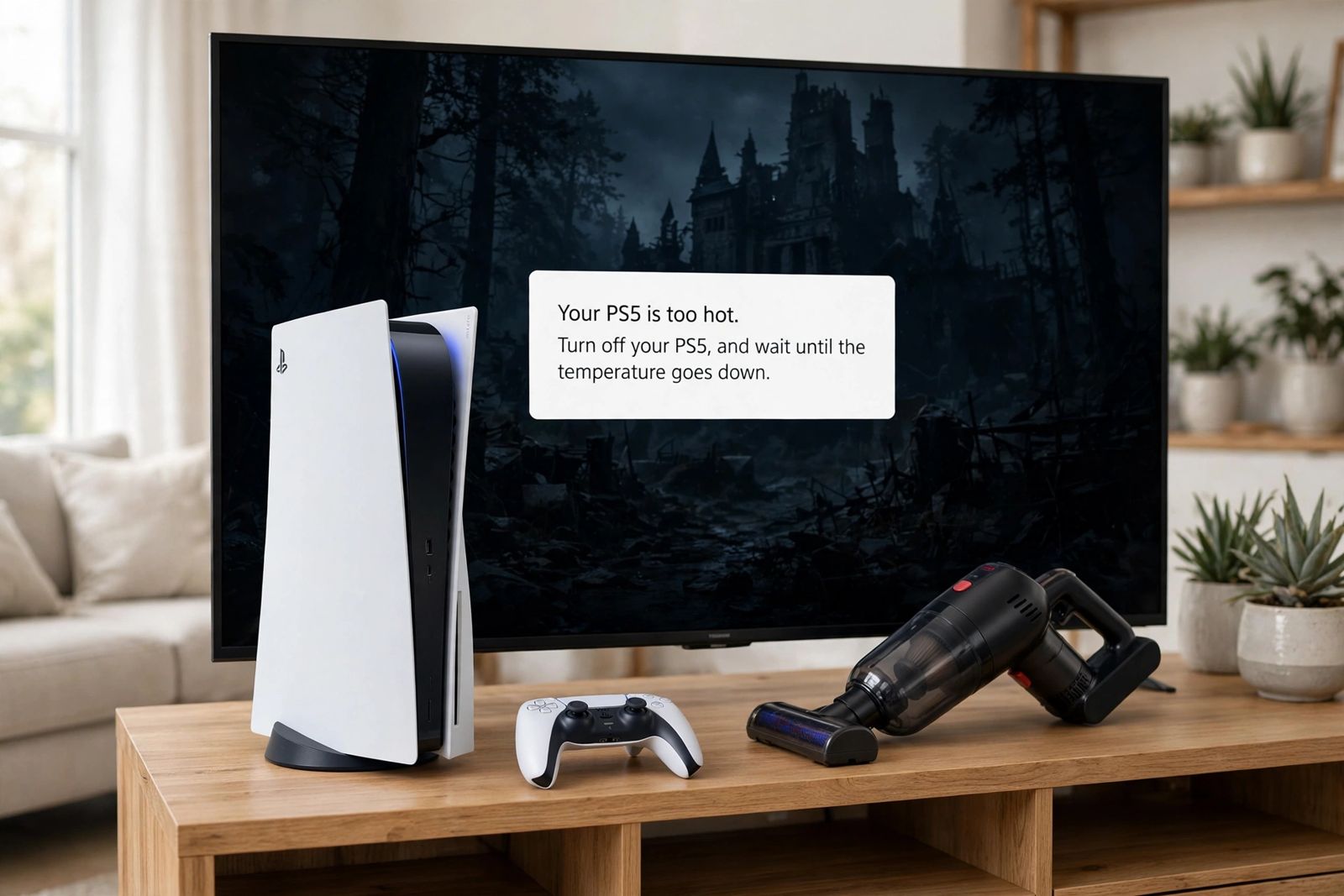
If your PS5 is overheating — it has shown the “Your PS5 is too hot” message, the fan has started roaring through whole sessions, or the console has cut out mid-game — the fix is almost always placement and dust, worked in Sony’s order: turn the console off and let it cool, give it at least 10 cm (about 4 inches) of free space around each side with the vents on its sides and back completely unblocked, get it off long-fibre carpet and out of any narrow, cramped or closed space, and then, with the AC power cable disconnected from the rear of the console, remove the dust in and around the air vents with a low-powered vacuum cleaner. That short list is PlayStation’s own guidance, and it is also the whole first response — not a cooling stand, not a settings change, and not opening the console. Two things on this page matter more than the rest: a louder fan on its own is normal and is not overheating, and a console that shuts down without ever showing the heat warning is a different, more serious case than one that warns you first. Both splits are set out in the check below, before any fixes.
The Sony-only check: clearances, cleaning order, and the warning split
This is the asset to work from. Everything in it comes from PlayStation’s support page and the PS5 safety guides — no forum numbers, no repair-shop additions.
Placement clearances — all of them, at once:
| Check | Sony’s requirement |
|---|---|
| Space around the console | At least 10 cm (about 4 in) of free space around each side — one number, on every side, including the back |
| Air vents | The vents on the sides and back must not be blocked or obstructed by anything |
| Surface underneath | Not a carpet or rug with long fibres; use the stand or feet for whichever position the console is in |
| The space itself | Not a narrow or cramped space, and not a closed cabinet or other location where heat may build up |
| Dust | Do not allow dust to build up in or around the air vents |
| Room conditions | The safety guides give an operating environment of 5 °C to 35 °C (41 °F to 95 °F), away from high temperatures |
Cleaning order — the sequence matters, and it starts with power:
- Turn the PS5 off and let it cool — completely off, especially if the heat warning has just appeared.
- Disconnect the AC power cable from the rear of the console. PlayStation puts this before cleaning “for safety reasons” — it is step one of cleaning, not an afterthought, and a console sitting in Rest Mode is not disconnected.
- Use a low-powered vacuum cleaner to remove the dust that has accumulated in and around the air vents. That — low-powered vacuum, vents — is the tool and the target Sony names. On PS5 Slim and PS5 Pro models, the safety guides add one model-specific step: you may remove the covers and use a handheld vacuum to remove dust trapped underneath, then refit the covers properly before use — a cover that is not installed correctly can itself cause overheating.
- Reconnect, restart in the corrected position, and retest with the same game that triggered the problem.
Warning vs shutdown — read which one you have before doing anything else:
| What happened | What it means | Your response |
|---|---|---|
| The screen showed “Your PS5 is too hot. Turn off your PS5, and wait until the temperature goes down.” | The console detected the heat and warned you while it was still running. The safety guide is blunt about this message: continued use while it displays may lead to the console becoming non-operational | Turn it off, wait until it cools down, then move it to a well-ventilated location not subject to high temperatures, check the vents are not blocked, and — if you have installed an M.2 SSD — confirm its heat-dissipation parts have not detached |
| The console shut down with no heat warning at all | A protective shutdown: the console may shut down if it is unable to cool its components, to avoid damaging its hardware. No warning means you never got the chance to save, stop cleanly, or see which game or moment triggered it | Turn it off and wait at least one hour, move it to a well-ventilated location with no objects on or next to it, make sure every vent is clear with good airflow, clean the vents as above, and only then restart. If the no-warning shutdown repeats in open space with clean vents, treat it as a repair case (below), not a cleaning case |
| The fan got loud, but there was no warning and no shutdown | Usually not overheating at all. PlayStation: during some games and applications the fan operates louder than usual, and “this is normal and simply means the fan is temporarily working at a faster rate to cool the system more effectively” | Check the clearances and dust once, because a console working harder than it should will also run its fan harder — then stop diagnosing heat from noise alone |
That last row saves more consoles from unnecessary “repairs” than any other line here. Warm air coming out of the back is the cooling system doing its job — the heat is leaving. Noise, warmth and hot exhaust are the system working; the warning message and the shutdown are the system failing to cope. Fix the second pair. Monitor the first.
Why placement fails first — and how it fails
A PS5 does not overheat in the middle of a bare desk. It overheats in the setups people actually have, and each one fails the table above in a specific way:
- The closed media cabinet. The console fits, the door closes, and the hot air leaving the back vents has nowhere to go — so the space warms up, and the console starts drawing in its own exhaust. The safety guides name this directly: do not use the console in a closed cabinet or other locations where heat may build up. Opening the door while you play is a half-measure; the test that tells you the truth is to run the console fully out in the open and see whether the warning or shutdown follows it.
- Pushed back against the wall. The 10 cm is around each side. A console with a hand’s width at the front and its rear vents two centimetres from a wall fails the requirement at exactly the vents that matter most.
- On carpet or a thick rug. PlayStation’s wording is specific — a carpet or rug with long fibres. Fibres crowd the lower edges of a vertical console and a soft surface lets a horizontal console settle instead of sitting on its feet with air beneath. A hard, flat surface is the fix, not a colder room.
- Boxed in by other warm things. Another console, a router, a speaker or a stack of game cases inside that 10 cm band is not decoration; it is an obstruction, and a heat source of its own in the air the PS5 is trying to pull in.
- Dust that arrived slowly. Dust in and around the vents narrows every opening the cooling system breathes through. It builds over months, which is why a console that was fine last winter warns this winter in the same spot: the placement never changed, the vents did. This is also the honest answer to “why is it overheating all of a sudden?” — nothing sudden happened except the last layer of dust.
Work the room before you work on the console: if any row of the clearance table fails where your PS5 lives, fix the room first, clean second, and retest before concluding anything is broken.
The cleaning step, done the way Sony wrote it
Most guides treat cleaning as “blast it with air, somehow.” Sony’s version is narrower and safer, and two details in it are the ones ranking pages most often drop.
The power cable comes out first — from the rear of the console. Not standby, not Rest Mode: disconnected. Every cleaning step after that is done on a console with no power running through it.
The named tool is a low-powered vacuum, and the named target is in and around the vents. Sony does not tell owners to open the console, remove the fan, or get at the heatsink. Pages that move quickly from dusty vents to screwdrivers, internal disassembly and replacing the liquid-metal compound under the heatsink have left Sony’s guidance entirely — that is repair-shop work with repair-shop risks, and doing it at home can take a dust problem and turn it into a damaged console. Keep your cleaning where Sony keeps it: outside, at the vents, plus the under-cover vacuum step on the Slim and Pro models whose safety guides describe it.
One more timing point: do not clean a hot console. If the warning has just appeared, the cooling wait comes first; cleaning is what you do once it has cooled, in the order set out in the asset above.
If you have installed an M.2 SSD
There is exactly one internal check Sony itself connects to the heat warning, and it belongs to people who expanded their storage: if an M.2 SSD is installed, confirm that its heat-dissipation parts are not detached. Sony recommends a cooling structure such as a heatsink for an M.2 SSD in the expansion slot — that recommendation is about the add-on drive’s own heat inside a slot with limited airflow, which is a different subject from the console overheating. A heatsink SSD is not a cure for a console that overheats in a closed cabinet, and a console with no added SSD has nothing to check here. If you never opened the expansion bay, skip this section with a clear conscience.
Vertical or horizontal — and the liquid-metal claim, stated carefully
You will find the loudest version of this claim all over the results for this problem: that standing a PS5 upright lets the liquid-metal cooling material inside it shift or leak, and that laying the console flat is the fix. One of the top-ten videos for this keyword advises exactly that — place it horizontally “to prevent future problems with liquid metal on CPU.” Here is what can actually be supported, and it is less dramatic.
Sony’s official position is the only position this page will give you. PlayStation designed the PS5 to be used in both positions, supplies a stand or feet for both, and its support page and safety guides issue no warning against vertical use, no instruction to lay the console flat to protect anything, and no mention of liquid metal at all as a cause an owner should act on or a fault an owner can fix. Sony’s hardware engineers have stated publicly that cooling performance does not differ significantly between the two orientations. That is the whole of the maker’s guidance on the subject.
So: choose the position that fits your space and passes the clearance table, and use the proper stand or feet for it. Do not move a happy vertical console onto its side as an overheating cure, and do not accept “it was standing up” as a diagnosis for a shutdown — a console that overheats standing in open air with clean vents has a fault that its orientation did not cause, and it belongs on the repair route below. If a technician who has your actual console open finds a genuine internal cooling fault, that is a finding about your unit — it is not evidence that every upright PS5 is leaking, and it does not turn a viral claim into Sony guidance.
Four claims in the top 10 that do not survive a check
1. “A clean PS5 can game for four to five hours before it overheats and shuts down.” This is stated as a fact by the retailer blog in the top 10 — of a clean, neatly maintained console. It is wrong in a way that wastes people’s weekends: Sony publishes no play-time limit, and a properly placed console with clear vents is not on a four-hour countdown to a thermal shutdown. If yours cuts out at a predictable point in a session, that timing is a symptom to investigate — placement, dust, or the no-warning shutdown route above — not the console’s normal lifespan per sitting. The same page’s temperature figures deserve the same suspicion: it presents internal temperatures (“65–75 °C is normal,” hotter than 100 °C under load) with no source, while Sony’s own documents give the user an environment range (5 °C to 35 °C) and the PS5 offers no internal-temperature readout in its normal settings to check any of those numbers against.
2. The clearance that changes halfway down the page. The marketplace guide in the top 10 gives Sony’s figure correctly in two places — at least 10 cm — then tells readers in its prevention list to keep the console 20 cm from the wall. Both cannot be the instruction. Sony’s number is one number: at least 10 cm around each side. More space is harmless, but a reader following the 10 cm sections has not set their console up wrong, and a reader measuring out 20 cm in a panic is obeying a figure no maker published.
3. “Use compressed air” as the headline cleaning method — with the safety step missing. Several top-ten pages lead with cans of compressed air and brushes. Sony’s stated method is a low-powered vacuum cleaner on the dust in and around the vents, and only after disconnecting the AC power cable from the rear of the console. The order is the safety content of the instruction. A page that gives you the tool Sony did not name and omits the disconnection Sony put first has not summarised Sony’s cleaning guidance — it has replaced it.
4. Settings and accessories sold as heat fixes. Performance Mode instead of Resolution Mode, clearing the cache and rebuilding the database, clip-on cooling fans and cooling stands all circulate in the top 10 as overheating fixes. None of them appears in PlayStation’s overheating guidance. A rebuilt database does not clear a vent; a game preset does not move a wall; and third-party fans carry a specific warning from the repair side of the results themselves — iFixit notes some of them can make a PS5 overheat by diverting its airflow to the wrong place. If an add-on fan is part of your setup, the honest test is to remove it, restore the clearances, and see whether the problem leaves with it.
What not to do
- Do not keep playing through the warning. The safety guide’s wording is that continued use while the message displays may lead to the console becoming non-operational. The message is the instruction: off, cool, move, check — then play.
- Do not open the console to chase dust, the fan, the heatsink or the liquid metal. Sony’s owner-level cleaning stops at the vents (and, on Slim/Pro, under the covers as its guide describes). Internal work is where a cleanable problem becomes a damaged console and a possible warranty problem.
- Do not unplug the console while its power indicator is lit or blinking as a shortcut shutdown, and do not put a hot, warning console into Rest Mode and call it off. Let it shut down properly and cool.
- Do not treat every shutdown as heat. A console that cuts out instantly on startup, or loses power with a loose cable or a tripped outlet, has a power problem wearing heat’s clothes — our PS5 not turning on guide works that chain from the light-and-beep split through the cable test to the power-supply verdict. Keep the faults separate — in the same spirit, a PS5 whose controller will not pair is a cable-and-pairing chain, not a heat chain; our PS5 controller not connecting guide works through that one step by step.
- Do not cover the console — with a dust cover, a cloth, or anything else — while it is on or in Rest Mode, and do not “cool” it with anything cold or wet. Room-temperature air and space are the cooling system it was designed for.
When it is a repair, not a placement problem
Take the console to PlayStation Support / PlayStation Repairs — Sony’s route from the same support page — when any of these is true after the checks above: the heat warning returns in open space, with the full 10 cm on every side and freshly vacuumed vents; the console shuts down without a warning a second time after the one-hour wait, the move and the clean; it overheats during menus, streaming or other light use rather than only in demanding games; or it ever behaves as the safety guide’s stop-use list describes — functioning abnormally, making unusual sounds, producing unusual smells, or becoming too hot to touch, in which case stop using it and disconnect the AC power cord immediately rather than finishing a troubleshooting list. At that point the remaining causes are internal — fan, heatsink, power supply — and none of them is reachable from a settings menu or a vacuum cleaner. Tell support which half of the split you had — warning-first or shutdown-with-no-warning, and what you had already changed — because that distinction is the first thing their diagnosis will try to establish.
Frequently asked questions
Is it normal for my PS5 to get hot and loud? Warm, yes; hot exhaust and a louder fan during demanding games, also yes — PlayStation says the fan temporarily working at a faster rate to cool the system more effectively is normal. What is not normal is the on-screen “Your PS5 is too hot” message or a shutdown. Judge by those two events, not by noise or by how the case feels.
How much space does a PS5 actually need? At least 10 cm — about 4 inches — of free space around each side of the console, per PlayStation, with the side and rear vents unblocked, off long-fibre carpet, and out of narrow, cramped or closed spaces. It is one figure on every side, not 20 cm, and not “4 to 6 inches” only where a tape measure is convenient.
How do I clean a PS5 safely? Sony’s order: turn it off and let it cool, disconnect the AC power cable from the rear of the console, then use a low-powered vacuum cleaner to remove dust in and around the air vents. On Slim and Pro models the safety guides also describe removing the covers to vacuum dust trapped underneath, refitting them correctly afterwards. Sony does not give a fixed cleaning interval — visible dust building up in or around the vents is the cue.
My PS5 shut down with no warning. Is that overheating? It can be: the console may shut down if it cannot cool its components, to avoid damaging its hardware — and that protective shutdown can arrive without the on-screen warning appearing first. Follow the shutdown row of the table above (off, wait at least one hour, open well-ventilated spot, vents clear, restart). A repeat performance after that is a repair case. But hold the possibility open that it is a power fault instead — instant cut-outs at startup point away from heat.
Should I lay my PS5 flat to stop it overheating? No — not as a cure. Sony designs and supports the console in both vertical and horizontal positions, supplies the stand or feet for both, and has never instructed owners to avoid vertical use or blamed orientation for overheating in its support or safety guidance. Fix placement, space and dust in whichever position you use; if it still overheats in open air, the fault is internal, not positional.
Can a PS5 overheat in Rest Mode? A console in a closed cabinet or covered up can build heat in any state where heat may build up, which is why the safety guidance about closed spaces and covers applies whenever the console is powered, Rest Mode included. A hot console that has just shown the warning should be turned fully off to cool, not rested.
How long should I wait after the “too hot” warning before playing again? Sony’s safety-guide instruction is to turn the console off and wait until it cools down — it does not publish a number of minutes for the warning case. For a console that shut down by itself, the troubleshooting route is to wait at least one hour before restarting, in its new, ventilated position. Restarting into the same cabinet after five minutes is not a wait; it is a repeat.
This article follows PlayStation’s own guidance — the PS5 console noise support page for the fan, the 10 cm clearance, placement and the low-powered-vacuum cleaning method with the AC cable disconnected first, and the PS5 safety guides for the heat-warning behaviour (continued use may make the console non-operational; turn off, cool, move to a well-ventilated location, check the vents and an installed M.2 SSD’s heat-dissipation parts) and the 5 °C to 35 °C operating environment — checked in November 2026. It covers PS5, PS5 Slim and PS5 Pro consoles; where a step differs by model, the article says so.