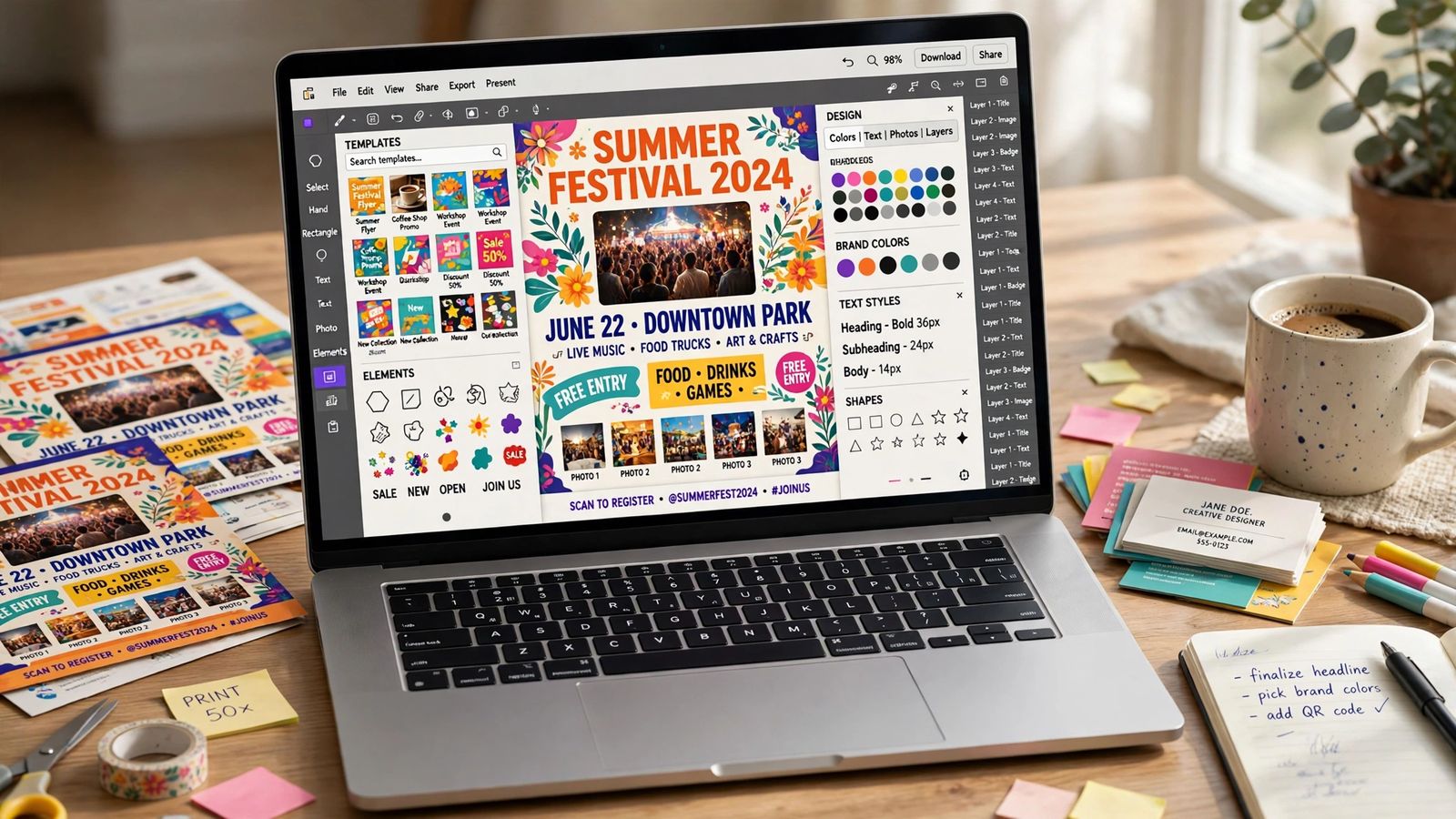
You make money with Canva the same way you make money with any tool: by selling work someone else needs done. Canva itself pays almost nobody directly. The realistic routes are paid services — monthly social media design packages for small businesses, presentation and document design, and general freelance graphics — plus selling templates and printables you design once and list on marketplaces like Etsy. Canva’s built-in AI tools (Magic Write, Magic Media, Magic Design) make that work faster, but they do not change what buyers pay for: a finished, usable result, delivered on time, that you are legally allowed to sell. That last part matters more than most guides admit, because Canva’s Content License Agreement restricts some popular ideas — including trademarking a logo built from Canva stock elements.
The services businesses actually pay for
Services are the fastest route to a first payment, because you do not need an audience, a ranked shop, or months of catalogue-building. You need one business with a recurring design problem and a sample that shows you can solve it.
Social media design packages. This is the most commonly bought Canva service. Cafes, salons, gyms, clinics, estate agents and online shops all need a steady flow of posts, stories and carousels, and most owners either post badly designed graphics or stop posting. The sellable unit is a monthly package — for example, 12 ready-to-post graphics plus a few stories, delivered on fixed days — rather than one-off images. Canva Pro’s Brand Kit (which stores the client’s colours, fonts and logo) and Magic Resize (which turns one design into every platform’s size) are what make a package quick enough to be profitable.
Presentation and template design. Pitch decks, training slides, course materials, proposals and reports are the quieter, better-paid end of Canva work. Startups, coaches, consultants and teachers regularly pay for decks that look professional, and far fewer beginners compete for this work than for Instagram templates. A related offer is building clients their own editable template sets, so they can produce decent graphics themselves between your deliveries. Note the handover rule covered in the licence section below: if those templates contain Canva Pro elements, the legal way to hand them over is as a Canva template link, not as an exported file.
General freelance design. Flyers, menus, price lists, invitations, e-book covers, lead magnets, infographics, resumes and YouTube thumbnails. This work is usually listed on Fiverr and Upwork, where a narrow offer (“carousels for fitness coaches”, “menus for small restaurants”) beats a generic “I design anything” gig. Set a revision limit in writing — two rounds is a common policy — or small jobs quietly expand.
Selling templates: the slower way to make money with Canva
The other way to make money with Canva is to design something once and sell it many times: social media template packs, planners and printables, invitation sets, resume templates, wall art. Marketplaces such as Etsy, Creative Market and Gumroad host the listings; buyers receive either a finished PDF (right for printables) or a Canva template link they open as an editable copy in their own account (right for templates).
Be clear-eyed about the shape of this income. It is not passive at the start. A new shop has no search ranking, template categories on Etsy are crowded, and the sellers who earn steadily tend to have dozens of listings in one tight niche — templates for wedding photographers, lesson plans for one school subject, content calendars for dental clinics — not three listings in three unrelated categories. The honest sequence is: services first, for income and proof of what buyers want; templates second, built from the designs clients already paid for once. Print-on-demand (uploading Canva artwork to a service such as Printful or Redbubble, which prints and ships per order) is equally slow: the design takes an hour, but per-item profit is small, so it only adds up with volume.
The Canva Creators program is a third, smaller route: approved creators upload original templates and elements to Canva’s library and earn royalties when other users use them. Acceptance is selective and Canva publishes no fixed per-use rate, so treat it as a long-term extra, not a starting plan. Details are on Canva’s Creators page.
What you can charge: estimates, honestly labelled
Canva publishes no rate card for any of this, and nobody can promise you an income. The ranges below are estimates compiled from currently ranking how-to guides checked in November 2026 — they describe what sellers commonly list and what guides commonly report, not what you will earn. Treat them as pricing landmarks for your first offers.
- Social media package: roughly $50–$300 per client per month for beginners; a typical starter offer is 12 posts a month priced around $150.
- Freelance design: roughly $15–$50 an hour at beginner level; a polished 10-slide presentation deck is commonly priced around $300–$600 as a fixed project once you have portfolio pieces.
- Templates: roughly $5–$50 for a single template or small set; niche bundles of five to ten related templates commonly list at $50–$300, with starter bundles often at $5–$30.
- Printables: roughly $3–$15 per item, more for bundles.
- Print-on-demand: roughly $3–$20 profit per item sold, depending on the platform and your markup — volume does the rest, or doesn’t.
Against those figures, weigh the costs. Marketplaces take their cut: Etsy charges a listing fee per item plus a transaction fee (6.5% at the time of writing, per seller guides), and Gumroad takes 10% plus a small per-sale fee on direct links. Canva Pro is a subscription on top — check the current figure on Canva’s pricing page, because guides disagree with each other about it and prices change. Many beginners correctly start free and upgrade only when a paying client makes the time savings obvious.
Where the clients and buyers actually are
“List it and wait” is the weakest plan in every guide. The channels that work, in rough order of speed:
- Local businesses, approached directly. Pick a few businesses you already know, check their social pages, and if the graphics are inconsistent or stale, make three sample posts for that business, with its name on them and show them. A sample made for the prospect converts in a way a portfolio link does not. It is the method most likely to produce a first client within weeks.
- Freelance marketplaces. Fiverr and Upwork bring search traffic, at the cost of fees and heavy competition. A niche gig title and five or six strong samples matter more than a low price.
- Marketplace search, for templates. Etsy buyers arrive with buying intent; your job is titles and preview images written in the words buyers type, and enough listings in one niche for the algorithm to place you.
- Your own content. Pinterest pins, short tutorials and before-and-after posts are slow, free traffic — a support channel, not a launch plan.
Canva’s licence: the rules that decide what you may sell
This is the section most guides shorten to one vague sentence, and it is the one that can get a shop closed. The summary below is taken from Canva’s Content License Agreement itself, read in November 2026; Canva’s own licensing explained page is the plain-English companion. This is general information, not legal advice.
- You may sell designs you create. The agreement’s permitted uses include advertising and promotional projects, prints and posters for resale, books and e-book covers, and design templates for use on Canva.
- You cannot trademark a design built from Canva stock content. The prohibited-uses list bars using any Free or Pro content “as part of a trade-mark, design-mark, trade-name, business name or service mark” (fonts are the stated exception). So the popular “sell logos” advice has a hard limit: a logo containing Canva stock elements cannot be trademarked, and the element is not exclusive — anyone else can use the same graphic. If a client needs a trademarkable logo, build it from your own shapes and text only.
- Stock content cannot be resold on its own. You cannot sub-license, re-sell or transfer Canva content by itself, display it standalone on print-on-demand venues, or build a product that lets someone extract the content as a file. A single stock photo on a poster, or a pack of Canva icons sold as clipart, breaks the agreement. Elements must sit inside your own original composition — and “original” means started from a blank page, not a recoloured pre-made template.
- Templates containing Pro content travel as template links only. Free content may be used in templates for distribution and sale to third parties; the agreement states that if a design contains any Pro content, those extra freedoms do not apply. In practice: a template built only from free content and your own uploads can be sold as a PDF or a template link; a template containing Pro elements can only be delivered as a Canva template link. Pro content is also licensed per single design (the One Design Use License).
- Client work has a one-client rule. You may transfer a design containing Canva content to a client for that client’s own use, with a written agreement that they follow the licence terms, and the design can go to a single client only. You stay responsible for their compliance. You cannot hand the same stock-based design to client after client.
- Some content is non-commercial, full stop. Content labelled as Education Content (“Resource”) is for educational, non-commercial use only, and Canva Education accounts may use Pro content only for non-commercial purposes. If you hold an education account through a school, do not use it for paid work.
Break the licence and Canva may terminate the account and all rights to the content with it. When a detail is unclear, the agreement text is the source of truth.
How Canva’s AI tools fit into paid work
Canva’s AI features — grouped under Magic Studio — are speed tools for the services above, not a separate income stream. Magic Design generates a starting layout from a brief; Magic Write drafts captions, listing descriptions and first-pass deck text; Magic Media generates images from a prompt; Magic Edit, Magic Grab and the background remover clean up client photos and product shots. Their money value is the production time they cut on a package or bundle: the client pays for the finished work, and you keep more of the fee per hour. If you are new to how these generators work, our explainer on what generative AI is covers the basics, and it is worth knowing what AI hallucination is, because AI-drafted text and images need a human check before they go in front of a client’s customers. For longer copy, some sellers draft with a standalone chatbot and design in Canva — see our Claude vs ChatGPT comparison if you are choosing one. The image-generation side of the same packages is a service market of its own, covered in how to make money with Midjourney, and the copy side in how to make money with ChatGPT.
Two AI-specific rules from Canva’s own documents. First, the licence agreement treats AI-generated content in Canva’s library as Free or Pro content, so the same selling rules above apply to it by category. Second, output you generate yourself is covered by Canva’s AI Product Terms: Canva states it will not claim copyright ownership over your input or output, and in return you are responsible for what you generate and publish — and you must not mislead anyone into thinking AI-generated content is human-generated. AI features run on a monthly allowance that varies by plan, so heavy generation is a real cost on the free tier.
A realistic starter path
- Pick one service and one niche. Social media packages for one kind of business (restaurants, coaches, salons) or presentation design for one kind of client (coaches, startups, teachers).
- Build five or six samples. Make them as if for real clients — ideally, for real named local businesses you intend to approach. This takes days, not weeks.
- Check your licence exposure before selling anything. Decide that your sellable work will use your own assets and free content, or deliver Pro-content work as finished files and template links only. Ten minutes here prevents a closed shop later.
- Approach people before platforms. Show the samples to local businesses and contacts first; set up one marketplace gig (Fiverr or Upwork) in parallel.
- Package and fix your price. Offer the monthly package, state what is included and how many revisions, and put the deliverables — finished files, or editable template link — in writing.
- Turn paid work into products. Once clients have paid for designs in a niche, rebuild the best of them (licence-clean) as a template bundle and list it. Services fund you while the slow template income builds.
Expect the first month to be mostly samples, outreach and silence. That is the normal shape of this work, and where most people quit. The tool was never the bottleneck: finding buyers, pricing a clear package, and staying inside the licence are the whole job.
Frequently asked questions
Can beginners make money with Canva? Yes — the design skills for simple packages and templates are learnable in days. The hard part is finding the first buyers, which is why the starter path above begins with direct outreach rather than a shop launch.
Do I need Canva Pro to start? No. The free plan covers basic services and printables. Pro earns its cost when Brand Kits, Magic Resize, the background remover and the premium library start saving you paid hours — and anything built with Pro content carries the stricter delivery rules described above.
How much can you realistically earn at the start? Honestly: often nothing in the first few weeks, then small amounts — a first package client or a trickle of template sales — if you keep listing and pitching. The ranges in this article describe what guides report sellers charging, not a forecast for any individual. Anyone promising you a specific monthly income from Canva is selling you something.
Is it legal to sell designs made in Canva? Generally yes, for your own original designs, under the rules summarised above: no trademarking stock-based designs, no reselling stock content on its own, Pro-content templates delivered as template links, and one client per client design. Read the Content License Agreement before you scale — it governs your shop, and Canva can change it.